 ChatAd
Can your business advertise on ChatGPT? An eligibility checklist
 Alex MakonFounder of ChatAd

On this page
The founder says, “Our customers are in the US, so we can run ChatGPT Ads there.” The marketing manager has already opened an account. The designer is waiting for a brief.
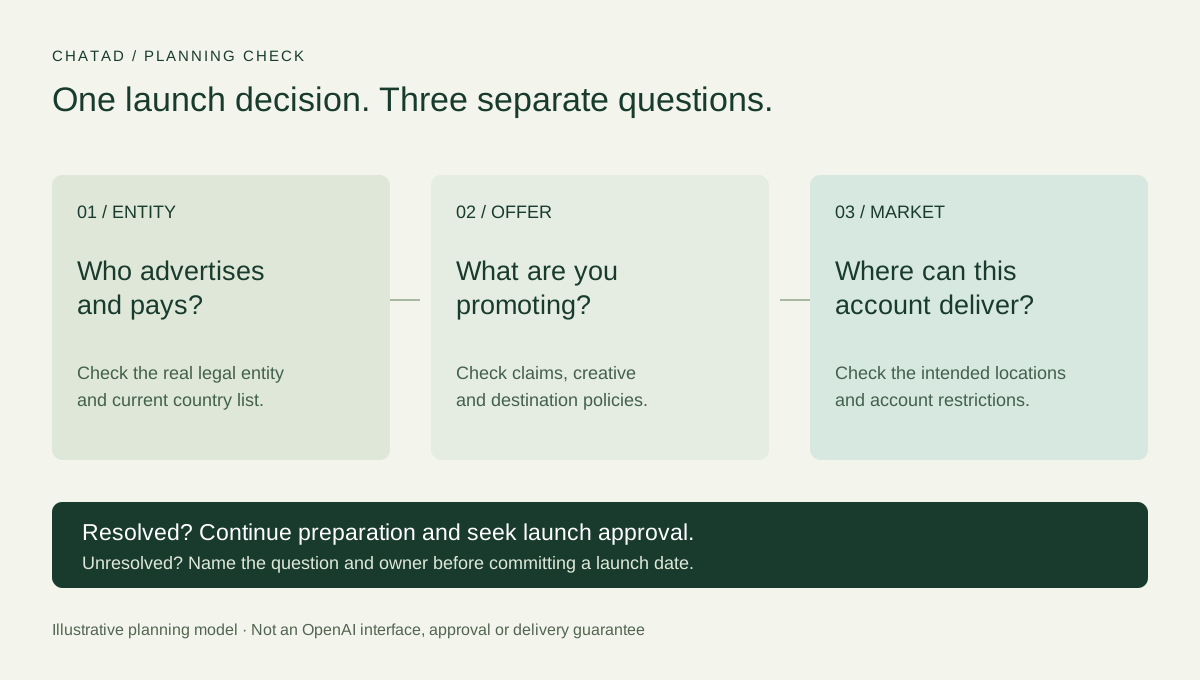
There is still one unanswered question: can this business, using this account, advertise this offer in that market? A customer address, an account login and permission to deliver ads are different pieces of evidence.
Before commissioning a launch, write down the advertising entity, the offer and the intended market on one page. This guide helps you check that page. It covers access and eligibility; campaign construction comes afterwards. Platform details were checked on 13 November 2026.
Start with the business paying the bill
For self-service access, OpenAI requires the legal entity that advertises and is billed to be based in a country marked available in its Ads Manager availability list. Your customers’ location alone does not answer that question.
As checked on 13 November, the list marks the United States, United Kingdom, Canada and Australia available. It also includes France, Germany, India and Singapore, among others. These are examples, not the whole list or a promise that every advertiser will be approved. Use the official table for your entity’s country.
If the country is missing or marked Coming Soon, OpenAI says self-service is not available there yet. You can register to receive an availability notification. An account created in that situation is not evidence of launch access. Current access rules
A useful internal question is: “Which registered business will appear on the advertising relationship and invoices?” Ask the person responsible for company and billing records. A brand may sell through several entities; a website footer is not necessarily the complete answer. Resolve the real arrangement before someone starts selecting countries in a signup form.
Use separate checks for access, offer and market
A country list answers one narrow question. Keep the rest of the decision visible instead of treating that first answer as a universal green light.
| What you are checking | Evidence to ask for | What it does not establish |
|---|---|---|
| Entity access | The actual advertiser and its country checked against the current official list | That the offer will pass review |
| Offer eligibility | The product, claims, creative and destination checked against current ad policies | That this account can reach every intended market |
| Market access | The intended locations allowed for this particular account | That a campaign is active or receiving impressions |
| Launch readiness | Required reviews, billing and campaign settings completed | That the traffic will produce worthwhile customers |
The table is a planning aid. Assign an owner to each unanswered row. “We think this is supported” should become a source to check or a question to resolve, rather than a launch date on the calendar.
Check the actual offer, not just the industry label
OpenAI’s ad policies cover the creative and the destination. A seemingly ordinary ad can still lead to an unsupported product or make a claim the advertiser cannot substantiate. Policies prohibit misleading claims and false endorsements even when the general category is allowed.
Some regulated categories have additional restrictions and case-by-case approval. Health and financial services have specific market and advertiser conditions; a country appearing in the availability table does not cancel those category rules. Do not generalize from a competitor’s ad or assume that permission on another advertising platform transfers here.
For a practical review, put the proposed promise beside the destination. If the ad says the product solves a particular problem, where can the reader verify that? Does the landing page introduce a different offer? Which claims need evidence from the business?
This is particularly useful when a company sells a mixed catalog. Suppose a retailer wants to promote a household accessory but the destination prominently sells another product with different restrictions. Review the entire journey, not only the image being uploaded. This is a hypothetical review scenario, not a claim about a particular advertiser’s approval.
Check where your account can actually advertise
OpenAI says some new self-service accounts can initially advertise only in their home country. Broader access may become available as the account builds a history. Support does not disclose the local spend required, estimate how much more you need to spend, or guarantee a date for access. Confirm that the intended country is available to your account before committing to an international launch. International targeting rules
That matters to an export business. Consider a hypothetical UK-registered desk retailer whose intended test is in the US. The UK is on the advertiser list, but that alone does not establish US delivery eligibility for its new account. If the account is initially restricted, the team needs to resolve the market-access question before presenting a US launch plan.
Do not turn that uncertainty into an automatic home-market spending exercise. First ask whether a domestic test has a business purpose, what the account actually requires, and whether the team wants to proceed on those terms. Money spent answering the wrong commercial question still comes out of the budget.
If Ads Manager reports no eligible targeting country, check both included locations and exclusions. An approved ad or an active campaign does not override country restrictions. If the warning conflicts with the settings, OpenAI recommends contacting Support with campaign details and a screenshot. Location troubleshooting
Treat the onboarding notice as a launch warning
An account can be easy to create and still require careful decisions. OpenAI’s setup guide offers a path that prepares an ad during signup and a path that skips that step. It also says the account’s country or region, currency and time zone cannot be changed after account creation. Account setup
Read the notice before submitting a campaign:
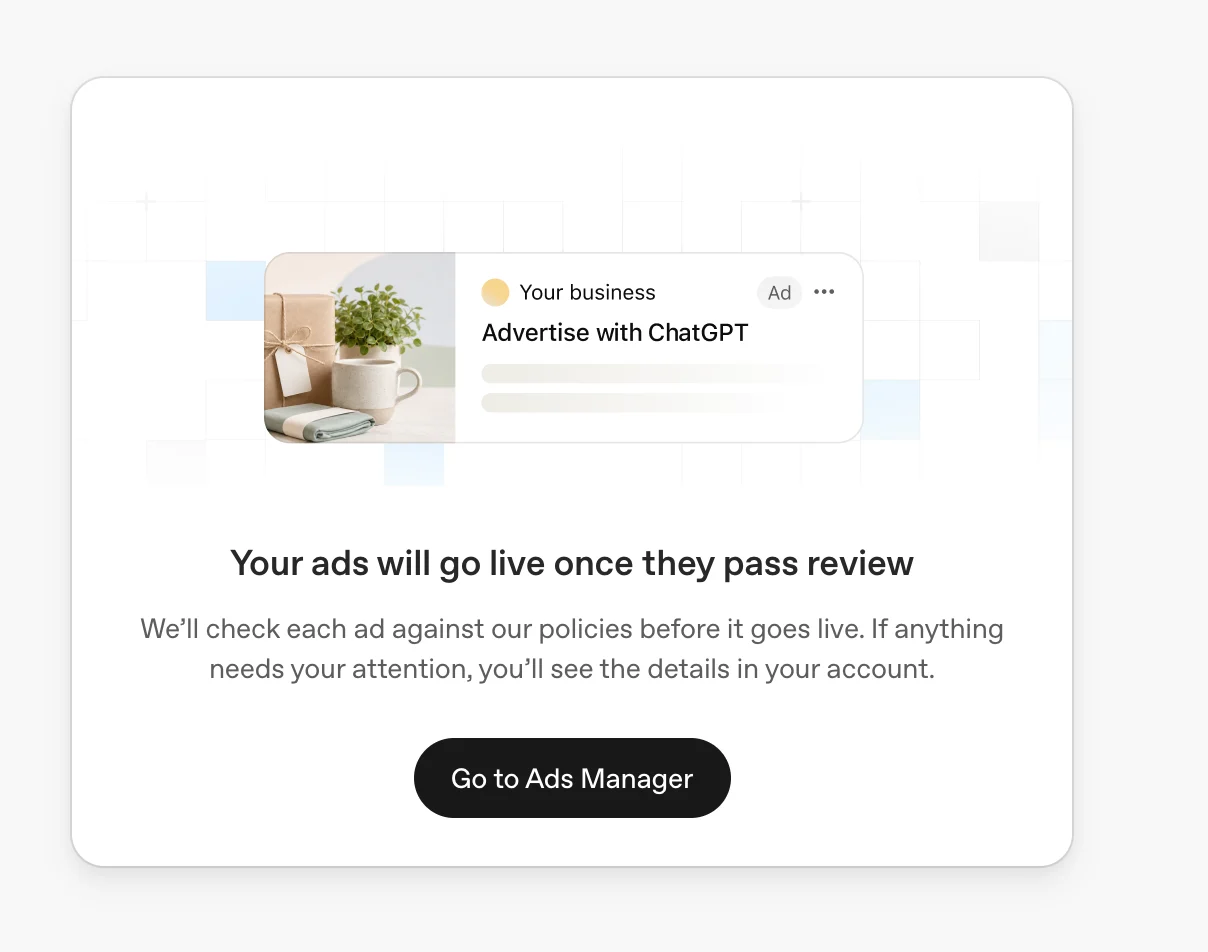
The important operational point is that signup can be connected to a real campaign. If you are only researching eligibility, keep that task separate from authorization to spend. OpenAI advises pausing a campaign and confirming its status when you are not ready to advertise. Setup and campaign status
Agree who can move the project from preparation to launch. That decision should not be implied by a designer handing over an image or a teammate finishing an account form.
What changes if an agency helps?
An agency can help assemble the checks, prepare creative, configure measurement and manage campaigns. Hiring one does not change the business facts you need to provide.
OpenAI instructs managers of multiple advertisers to create a separate account for each advertiser. It also supports invitations into an existing advertiser account. Working with advertiser accounts
A useful agency conversation therefore starts with account ownership and responsibilities. Who is the advertiser? Who receives the bill? Who can approve a campaign? Which access does the operator need? What happens if the requested market is unavailable?
Ask for the proposed arrangement in plain language. If an offer promises instant access, ask what account and entity it relies on and what evidence supports that promise. OpenAI prohibits misrepresenting business location, service area or market eligibility. Advertiser conduct
Our planning recommendation is to settle these points before paying for a large creative package. It is easier to change a brief than to explain why a completed launch kit cannot serve its intended market.
Turn the findings into a go, wait or resolve decision
Use this handoff sheet before setting a launch date. It is designed for a marketing meeting, not as a replacement for OpenAI’s review.
| Finding | Practical next step |
|---|---|
| Entity country is supported; offer and intended market checks remain open | Continue preparation and name the person resolving each check |
| Self-service is unavailable for the entity’s country | Follow the official notification or documented sales route; do not label the project launch-ready |
| Category or claim is uncertain | Resolve the specific policy question before producing more variants |
| Intended export market is restricted | Confirm account requirements and decide whether another test has commercial value |
| Reviews and settings permit launch | Obtain the budget owner’s launch approval, then verify actual delivery |
For a larger or more complex advertiser, the availability page links to OpenAI’s Ads team to discuss sales support. A sales enquiry is a request to discuss the situation, not an exception granted in advance. Official contact route
Save the decision with the date, source links and unresolved questions. Recheck it when the platform changes or the business proposes a different entity, offer or market. A country count copied from an old blog post is a poor substitute for that record.
For the economics of a possible test, use our ChatGPT Ads cost guide. If you want help working through the entity, offer, market and measurement questions together, book a ChatAd planning call. Bring the proposed destination and the market you actually need to reach; those make the conversation concrete.
Related reading