 ChatAd
ChatGPT Ads Manager: what to prepare before opening an account
 Alex MakonFounder of ChatAd

On this page
A marketer opens a new advertising account while finance is in another meeting. They choose a currency, enter the name from the website and invite the colleague who made the creative. A week later, the invoice is going to the wrong inbox and nobody is sure who was allowed to launch.
That is an illustrative scenario, but it captures a common planning problem: a short signup form can contain decisions that belong to several people. The useful preparation is a small, agreed account brief. Here is what to put in it, how the pieces fit together, and what to check when handing the account to an operator.
Start at the right account
Sign in at ads.openai.com. Request an invitation to an existing account; one login can access multiple advertiser accounts. Account access guidance
Our practical recommendation is to ask whether the account already exists before creating one. Record its owner and identifier in your internal brief once available. When a freelancer or agency joins, the handoff should identify the advertiser account they are meant to work in, not merely the email address used to sign in.
Also check the business’s country against the official self-service availability list. The relevant entity is the one advertising and being billed. This is an access check, not a guarantee that every offer or requested market will be approved.
Settle the details that are awkward to discover later
OpenAI says the account’s country or region, currency and time zone cannot be changed after account creation. Confirm them before submitting setup. Account setup
Prepare a short record with the chosen value and the person who confirmed it. A time zone chosen by the teammate setting up the account may be convenient for that person and unhelpful for the team reviewing daily reports. A currency selected without finance can complicate an otherwise straightforward budget conversation.
These are planning considerations, not instructions to select a particular country or currency. Use the actual business arrangement and the options offered to that account. If nobody can confidently confirm a field, leave the question open in the brief and resolve it before creating the account.
Give the three names different jobs
Account Name is internal; Brand Name is public; Legal Name supports billing and verification. Signup fills them together. Edit them separately in Settings → General. Name settings
Imagine a hypothetical furniture business whose shop is called Northline Home and whose registered entity is Northline Retail Ltd. Its internal account label could help the team distinguish this advertiser from other projects. The public identity should help a customer recognize the shop. The legal record needs the real business name. These examples explain the distinction; they are not approved field values or a client case.
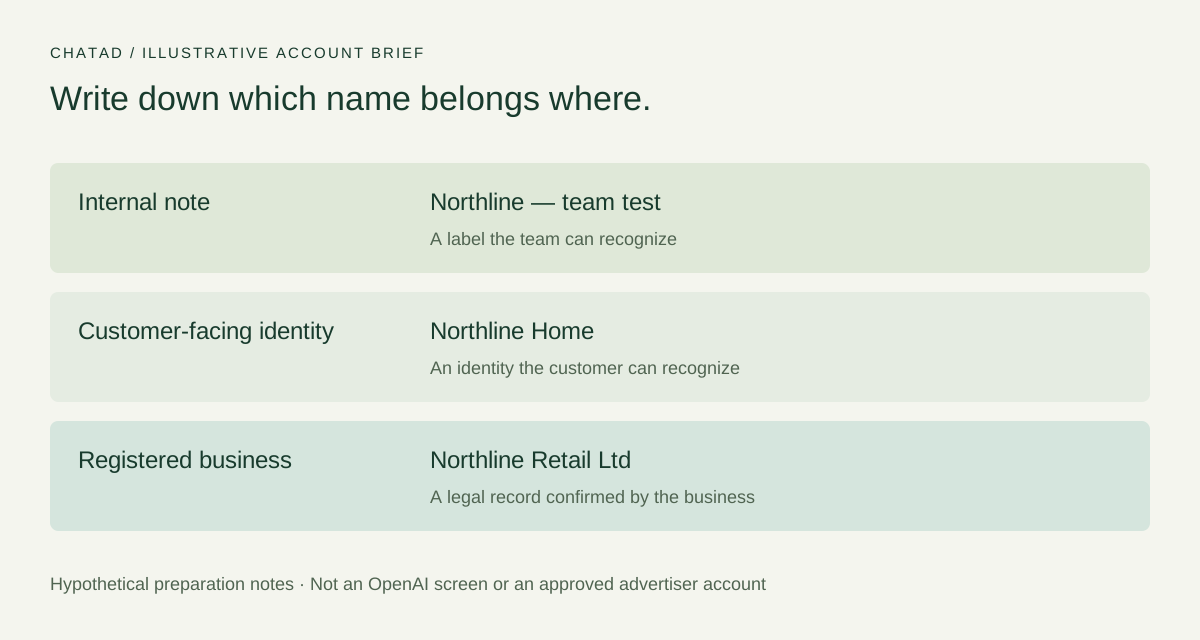
Confirm the names with the relevant people before treating a later rename as a cosmetic edit. OpenAI says Brand Name changes pause serving for review; Legal Name changes restart business review and may pause serving. Internal Account Name changes do not trigger review. Name-change consequences
Bring finance into the setup
For self-service card billing, OpenAI describes a billing profile containing the business name, address and invoice email, plus a payment method and its billing details. Billing must be configured before delivery. Billing setup
Agree who will enter the payment details directly in the platform and who will receive billing communication. Your working brief can record those responsibilities without collecting card numbers in a shared document.
Keep three questions distinct: which payment method is used, how much the campaign is allowed to spend, and when the method is charged. OpenAI says a payment threshold triggers charging for accrued spend; it is not a campaign budget or an account spending cap. Payment thresholds
The finance handoff is finished when the responsible person can find the correct account, billing profile and payment status. “The card was added” is a smaller piece of evidence. For test economics and spending controls, use our ChatGPT Ads cost guide.
Invite people for the work they need to do
Settings → Users assigns Admin (full access), Member (campaign management) or Viewer (viewing only). User roles
Choose roles against actual responsibilities. A stakeholder reviewing results has a different task from the operator editing ads. The person approving expenditure may also differ from both. Write down who can authorize a launch, even when that is a business process rather than a platform permission.
| Person’s task | Question to resolve before inviting them |
|---|---|
| Maintain account setup | Who is responsible for the advertiser’s account record and access? |
| Operate campaigns | Who can make changes, and which changes require business approval? |
| Review results | Does this person need editing capability or a readable report? |
| Approve spend | How will the operator receive a clear launch decision? |
This is a responsibility worksheet, not a replacement permission matrix. Confirm the platform role with the account administrator. OpenAI notes that membership alone does not establish the Admin access needed to finish account setup. If account creation is blocked by organization permissions, its troubleshooting guide describes a separate Ads Admin role in the OpenAI admin console. Permission troubleshooting
If you manage several advertisers, check your account memberships before you promise to set up another one. OpenAI counts accounts you created and accounts you joined toward its creation limit. At 10 memberships or more, you can still accept an invitation to an existing account, but you cannot create another yourself. If an advertiser already has an account, ask its administrator to invite you there. Additional account setup
Prepare the campaign inputs without accidentally approving launch
An account brief should give the operator enough information to prepare a draft: the offer, intended market, destination, spending allowance, useful customer situation and the action the team wants to measure. It should also say what is still unresolved.
The official campaign illustration makes that handoff concrete:
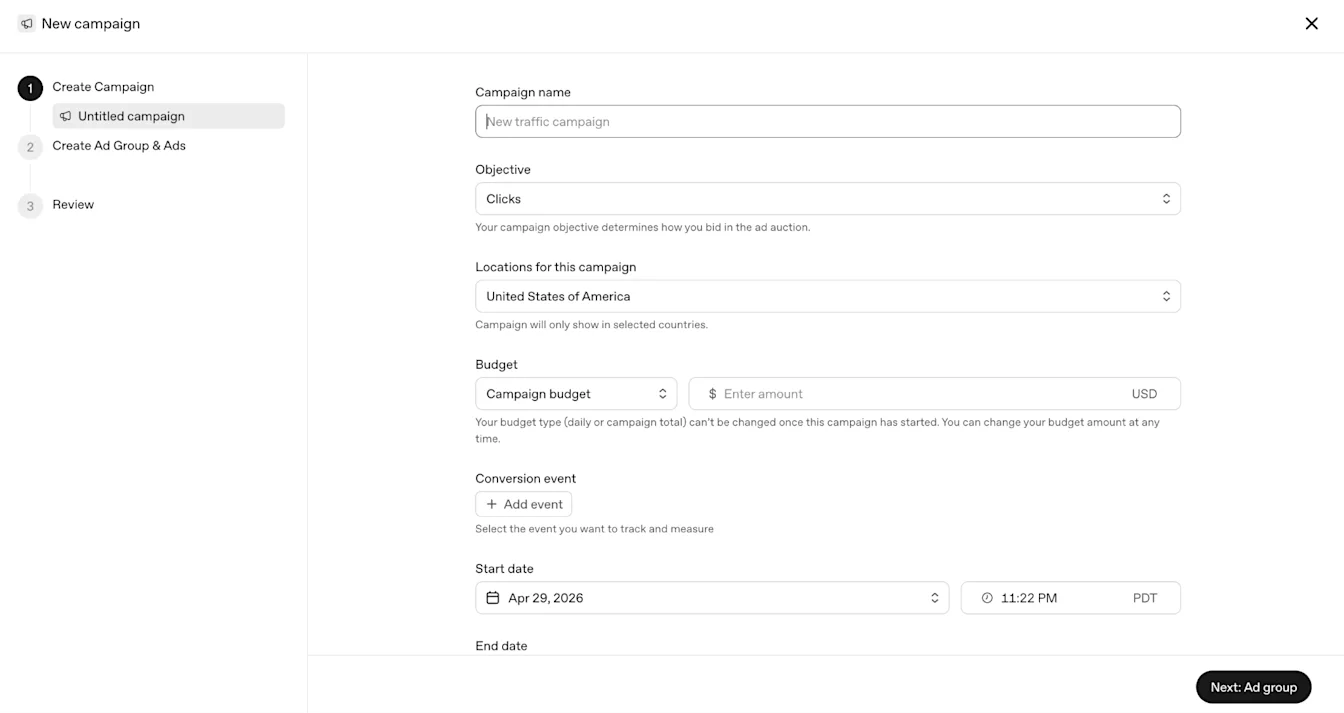
OpenAI documents guided creation and CSV bulk upload. Both use campaigns, ad groups and ads. Launch workflows
For a first small project, our recommendation is to settle the brief and inspect one structure before introducing a bulk file. A spreadsheet containing many rows does not make the underlying decisions more complete. If the team cannot explain why two offers need different messages, duplicating rows is unlikely to clarify it.
Keep preparation and activation as separate entries in the handoff. OpenAI’s documentation warns that ads submitted during signup can start after approval when account, billing and campaign conditions permit. A setup session can therefore lead to spend. Billing and activation
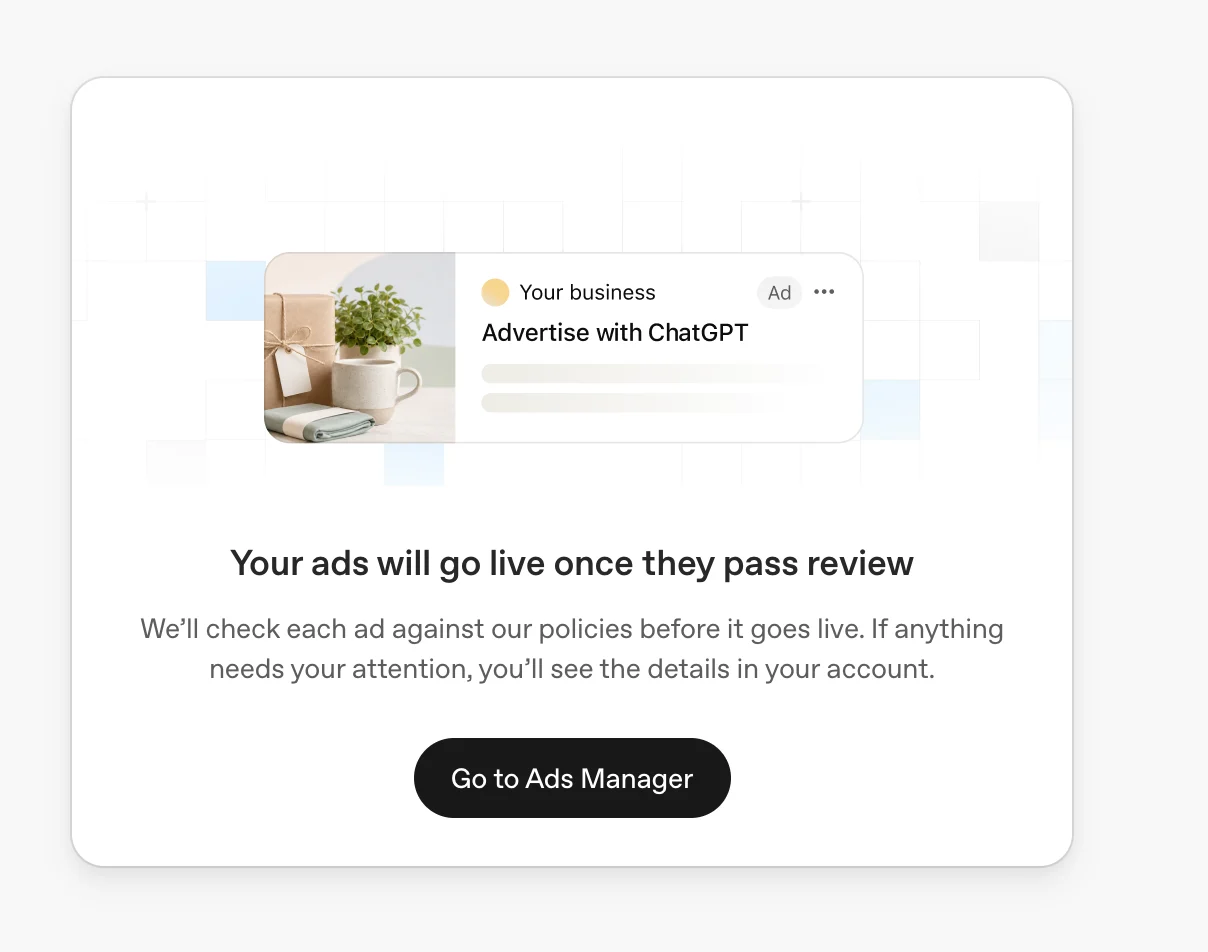
The person preparing the account should know whether they have approval to activate anything. If they do not, the internal brief should say so plainly and identify the person who will decide.
Agree what the first report will answer
Decide who will look at the account after launch and what they need to see. OpenAI provides table, chart and CSV reporting. Its measurement guide distinguishes impressions, clicks, spend and attributed conversions; these are not interchangeable evidence of business success. Reporting tools
A useful first review can be small: did delivery happen, did the chosen destination receive the intended action, and is the next decision to continue, adjust or investigate? Define the relevant action with the business before someone starts optimizing a column.
Prepare a reporting note with the account, date range and time zone. OpenAI advises matching those settings, filters and attribution details when comparing reports. If access is lost while campaigns are running, do not assume the access error paused delivery; ask an authorized user to check and contact Support if needed. Reporting and access troubleshooting
Finish with a handoff someone else can use
Before calling the account ready, ask a second person to read this sheet and identify anything they would still have to guess.
| Handoff item | What the team should be able to confirm |
|---|---|
| Advertiser | The intended business and account, with an internal owner |
| Setup decisions | Who confirmed country, currency and time zone |
| Identity | Approved internal, public and legal naming decisions |
| Billing | Finance owner, invoice destination and completed platform setup |
| Access | Invited people, their responsibilities and appropriate roles |
| Campaign brief | Offer, market, destination, allowance and measurement question |
| Release decision | Who approves activation and how that approval is recorded |
| First review | Reviewer, reporting scope and next decision point |
The sheet is deliberately more useful than a collection of screenshots. A screenshot can show a field; it cannot tell the next operator why your team chose that value or whether the budget owner approved the campaign.
If you want help turning the account brief into a manageable first test, book a ChatAd planning call. Bring the offer, destination and intended market, plus the questions your team has not yet resolved.
Related reading